
Appearance
Inbox
Supersimple Inbox turns problems the AI encounters during real questions into a focused queue of improvements for your data setup.
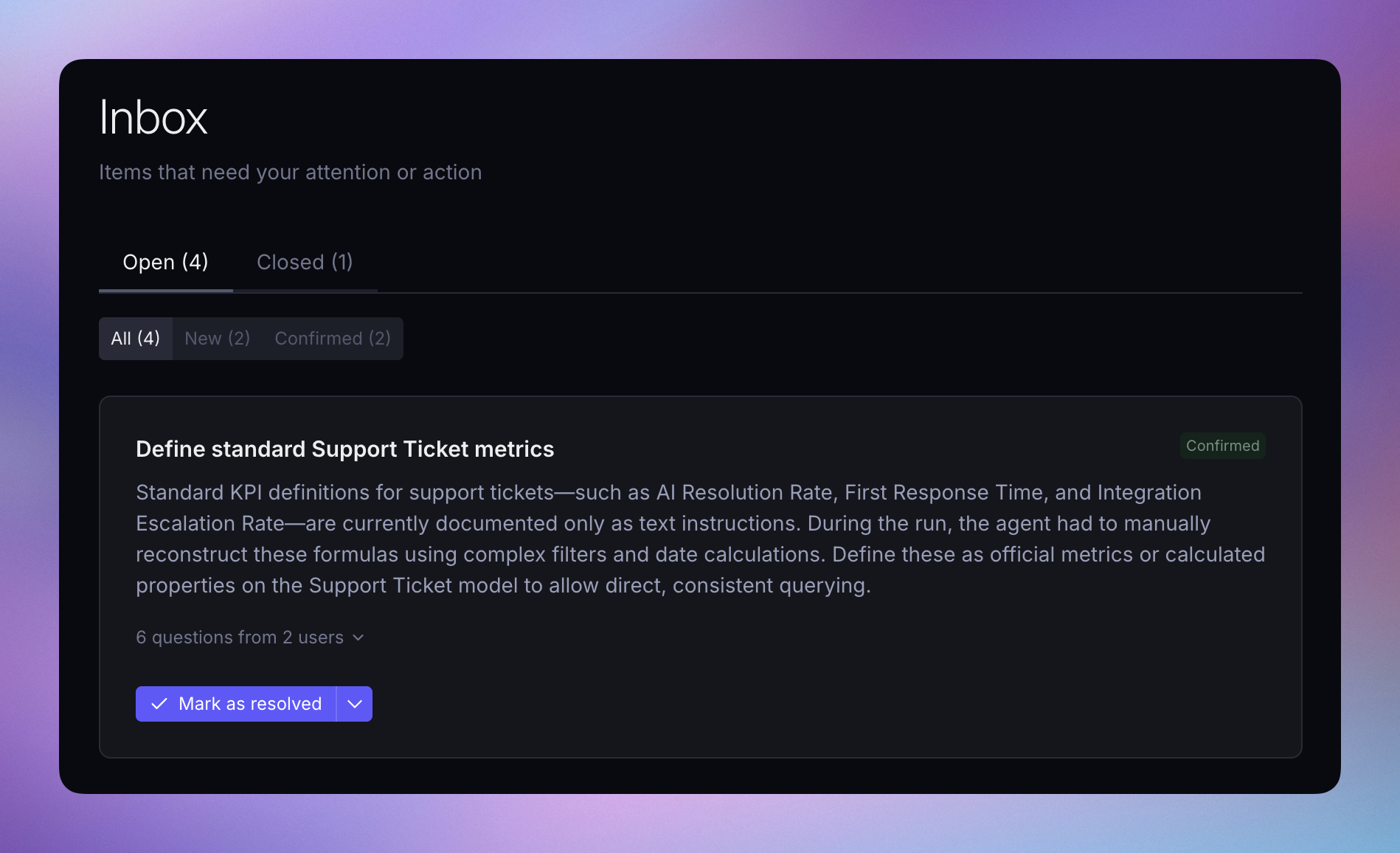
Every time an AI question finishes, Supersimple reviews the work the agent did. It looks for structural gaps that made the question harder to answer accurately or efficiently, such as:
- Missing data models, properties, metrics, or relations
- Undefined or ambiguous business terms
- Categorical values that are not documented as enum options
- Business context that had to be found in another source, such as Slack or Notion
- Missing, stale, or inconsistent data
This review runs in the background and does not delay the answer. Findings can appear in Inbox within 10–20 seconds after a question finishes, although processing can sometimes take longer.
TIP
Inbox is shown to account admins. It is also available to users whose group grants the Manage Account Settings permission.
Open Inbox from the main sidebar in Supersimple. When new findings are waiting for review, the badge next to Inbox shows their number.

How findings are created
Most questions do not produce a finding. Inbox only surfaces reusable improvements to the account's data setup or AI context, rather than one-off user mistakes or temporary errors.
When several questions expose the same underlying gap, Supersimple groups them into one finding. Each finding includes the questions and conversations that surfaced it, so you can inspect the original evidence before deciding what to change. New evidence can also update or reinforce an existing finding instead of creating a duplicate.
Review a finding
- Open Inbox from the main sidebar.
- Read the finding and open its linked questions to understand where the gap affected real work.
- Select Confirm if the finding is valid. Confirmed findings remain open while the underlying change is being worked on.
- Make the improvement in the appropriate source of truth. This might mean updating a model or metric, fixing source data, or adding AI instructions or an agent skill.
- Mark the finding as resolved after the underlying issue has been addressed.
Select Dismiss when a finding is not useful or does not belong in the shared setup. Supersimple learns from dismissed findings and uses that feedback to improve future suggestions.
Use Inbox with a coding agent
The Supersimple MCP server lets coding agents such as Claude Code and Cursor inspect Inbox findings and the conversations behind them. An agent can then update version-controlled models, metrics, AI instructions, or agent skills using your existing development workflow.
The coding agent can also confirm, dismiss, or resolve findings, but it should only mark a finding as resolved after the underlying issue has been fixed. Your normal Git review, merge, and import process remains in control.