
Appearance
TypeScript code blocks
Supersimple's TypeScript blocks let you run TypeScript or JavaScript code, including accessing data from other blocks in the same exploration.
TIP
Code blocks are a convenient way for engineers to share the results of more advanced work with the rest of their teams, without needing others to set up full coding environments.
Usage
Create a new TypeScript block via the "New block" button, and choose TypeScript from the Code dropdown.
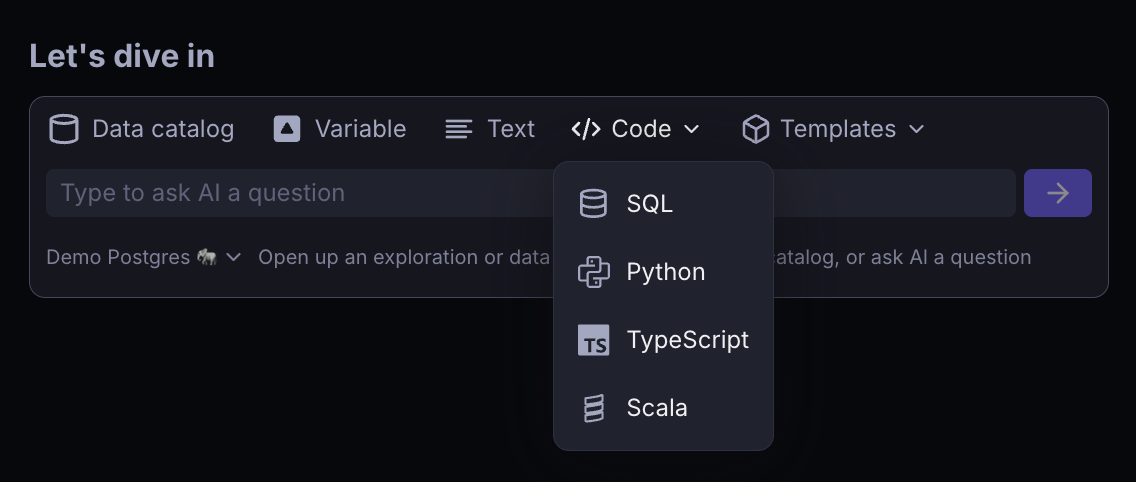
Blocks run on Node.js 22. TypeScript is executed directly without a build step, so any TypeScript syntax works, and plain JavaScript is accepted as well. Types are not checked before running; a type error only matters if it also fails at run time.
Using data from other blocks
You can access data from other blocks in your exploration using getBlock from the auto-included supersimple module:
typescript
import { getBlock } from 'supersimple';

const { fields, rows } = getBlock('User'); // data model name or block title
rows is an array of plain objects keyed by field key, and fields describes each column with its key, name and Supersimple type:
typescript
import { getBlock } from 'supersimple';

const { rows } = getBlock('Event');

rows
  .filter((row) => row.type === 'signup')
  .map((row) => ({ user: row.user_id, at: row.created_at }));
Packages
Node.js built-in modules are available with the usual node: imports. To use packages from npm, declare them with a // deps comment line and import them as usual:
typescript
// deps lodash@4.17.21 date-fns@4.1.0
import _ from 'lodash';
import { formatISO } from 'date-fns';
import { getBlock } from 'supersimple';

const { rows } = getBlock('Order');

_.orderBy(rows, ['total'], ['desc']).slice(0, 10);
Each package needs an exact version, <package>@<version>, and you can list several on one line or use one line per package. Packages are installed the first time a block uses them and reused by later runs.
Outputting data
Similarly to Jupyter notebooks, the last expression in a block is automatically outputted as the block's result. You can use top-level await, so the last expression can also be the awaited result of an asynchronous call.
- An array of objects becomes a Supersimple table, with column types inferred from the values.
- Strings, numbers and booleans are shown as text.
- Other objects are shown as formatted JSON.
Anything written with console.log or console.error appears in the block's log rather than in the output.
To render custom output, return an object with an explicit type:
typescript
({ type: 'html', htmlString: '<h1>Hello</h1>' });typescript
({ type: 'image', base64ImageString: 'data:image/png;base64,...' });